Staff App
Everything the front of house and kitchen need, in one place.
Build the rota, let staff clock in on a shared tablet, and see exactly how the week actually went against what was planned.
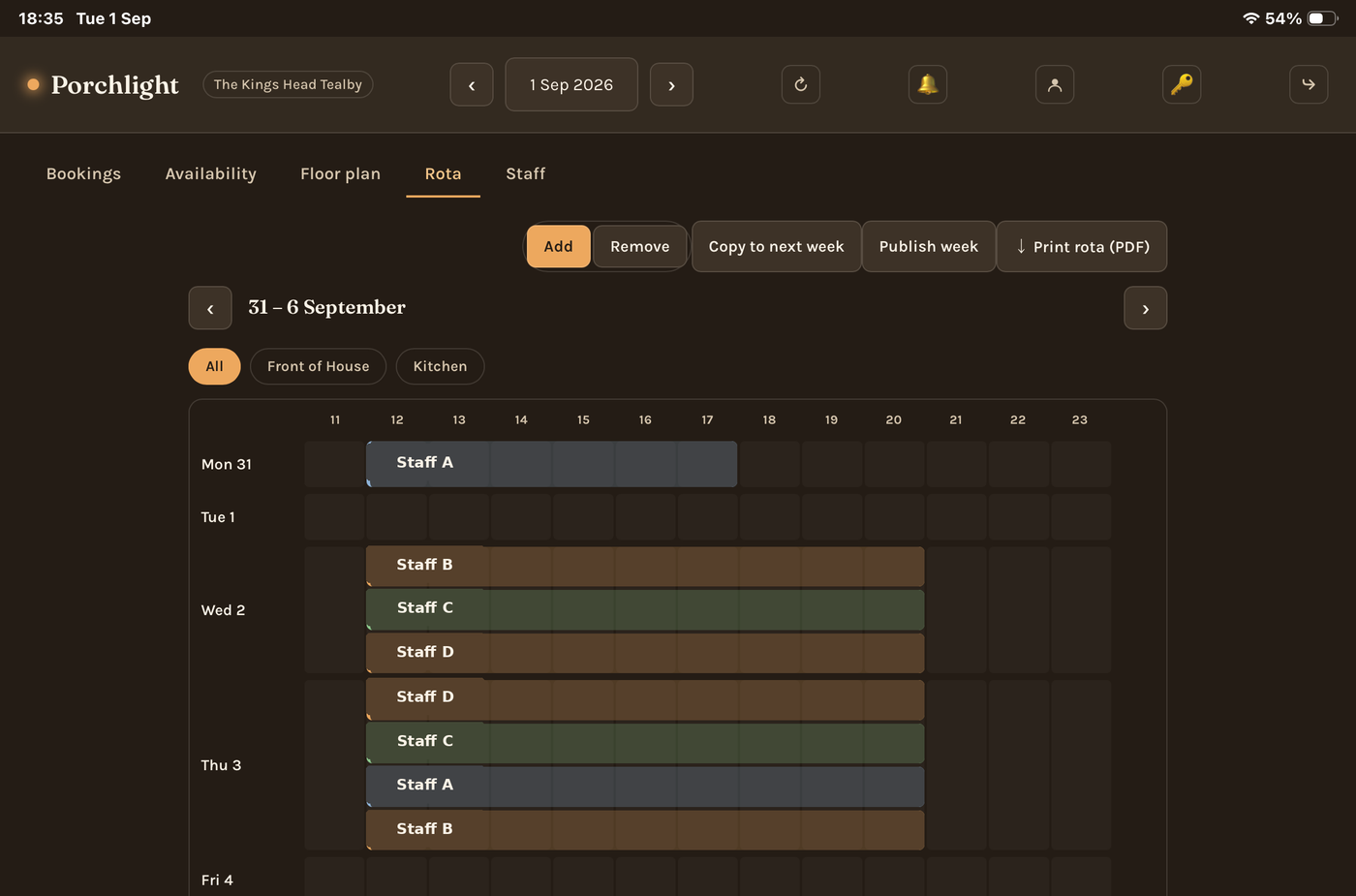
Build the rota in minutes
Drag across the grid to schedule a shift. Staff pool sorted by who's free and how many hours they've already got that week, so overloading someone is obvious before it happens.
- Copy a whole week forward with a conflict check
- Print or export as a PDF, filtered by team
- Publish the week and staff get notified automatically
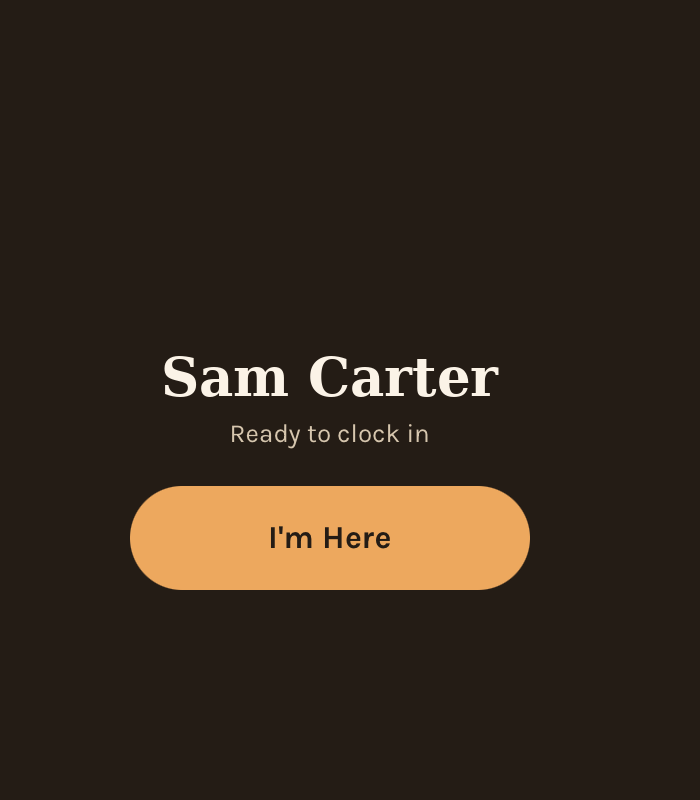
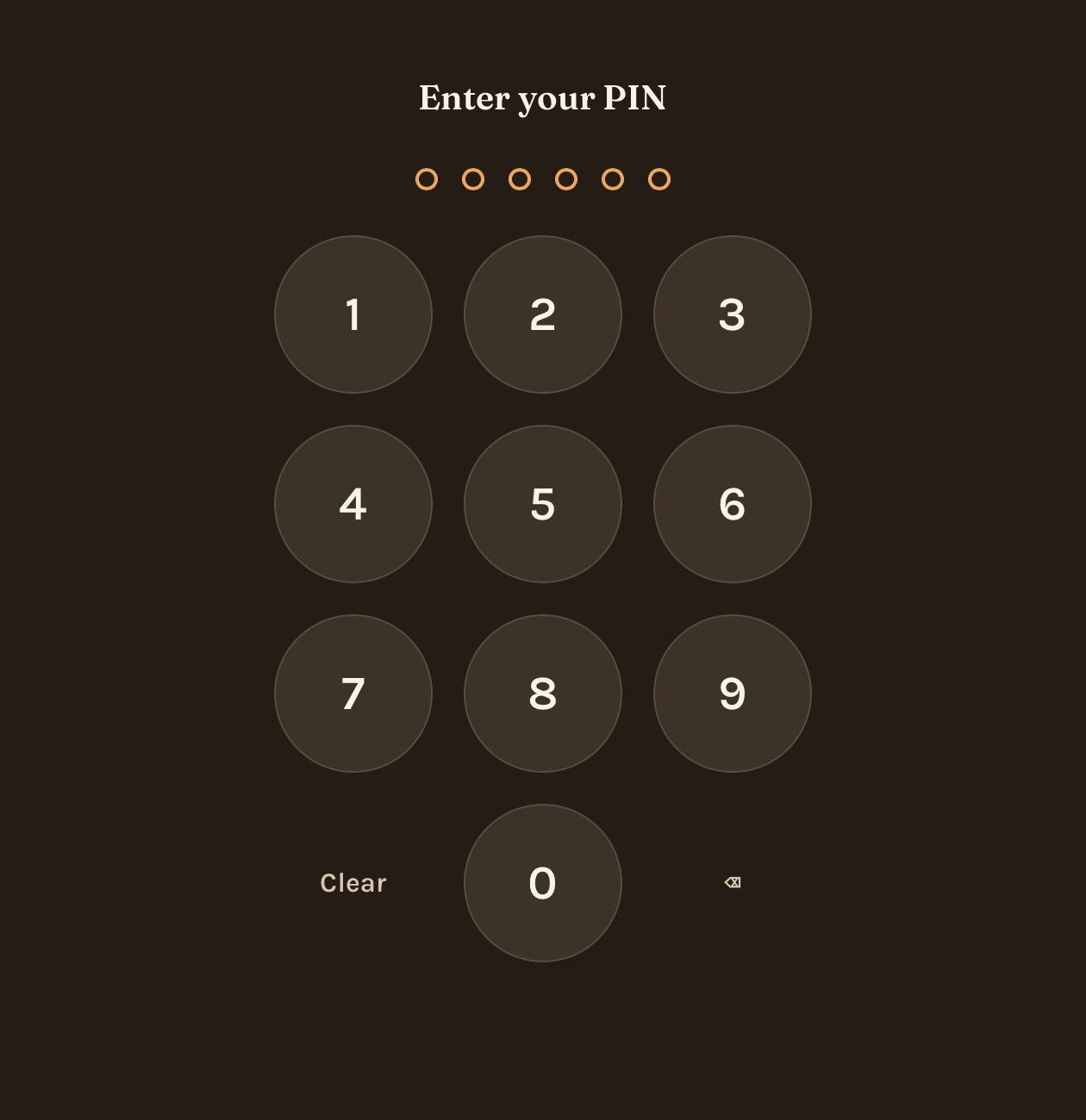
Clock in with a 6-digit PIN
No app login needed on the floor — tap "I'm here," enter a PIN, and you're clocked in. The same screen switches to "Goodbye" the moment you're on shift.
- Shared tablet at the venue, no personal phone required
- Staff set and reset their own PIN
- Managers can see who's currently clocked in, live
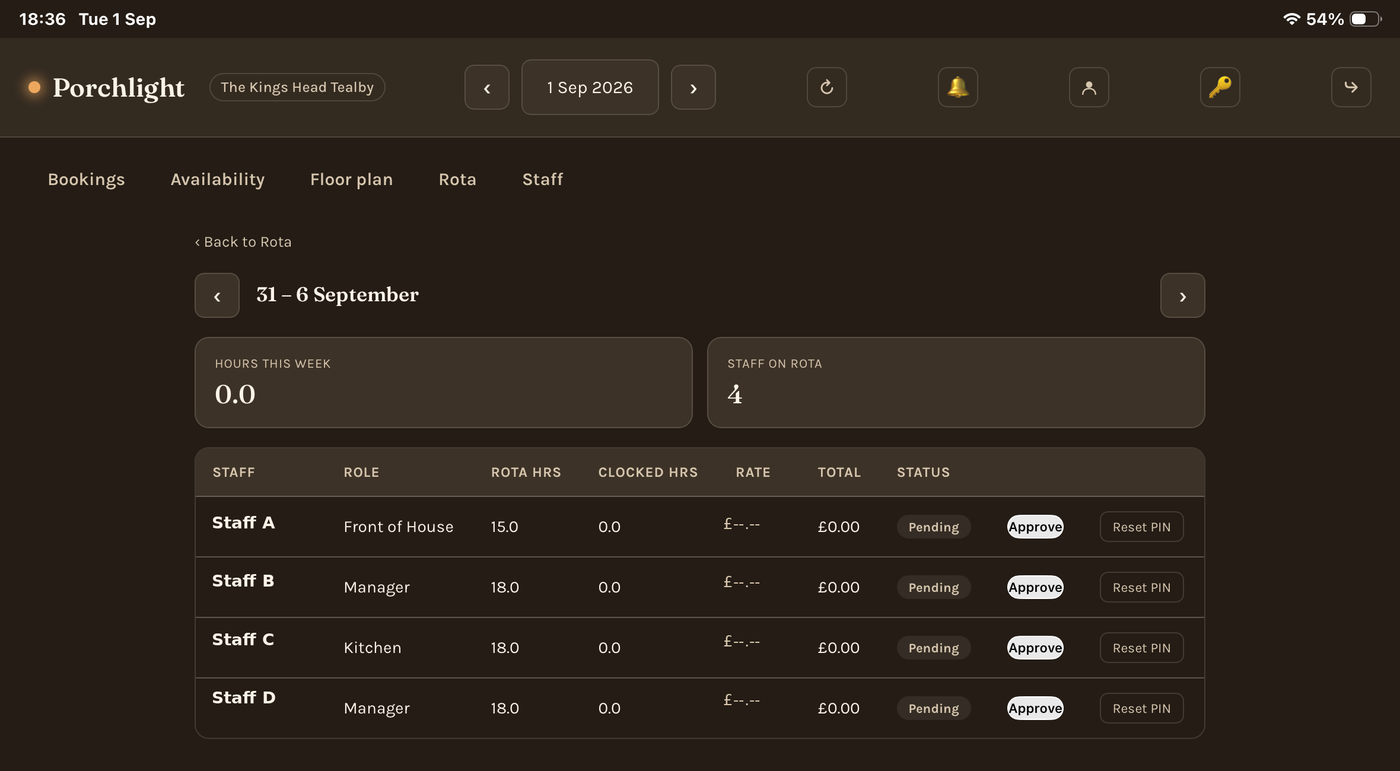
Approve hours before they touch pay
Rota hours and clocked hours side by side, per person, so nothing gets paid out on autopilot. One tap approves a week; PIN resets are handled from the same screen.
- Rota hours vs. clocked hours, per person
- Rates and totals calculated automatically
- Nothing touches pay until a manager signs off